Product UI / Software
Chaser
Product UI + motion
Show the path from a message to a task you can follow.
UI state design, interface rebuild, motion design, and delivery by Wrist Studio for Chaser.
The problem to solve
Make an unfamiliar workflow easy to follow.
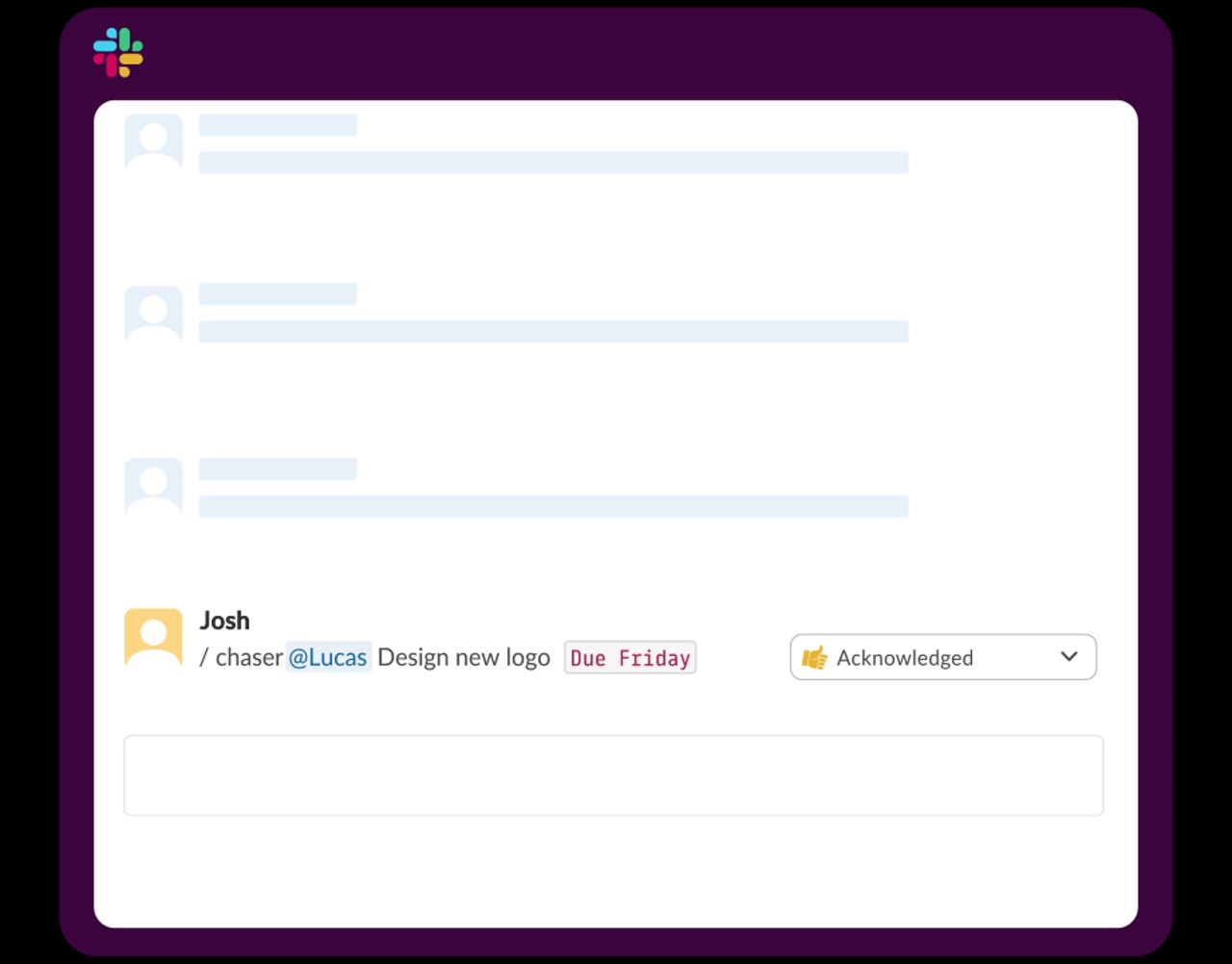
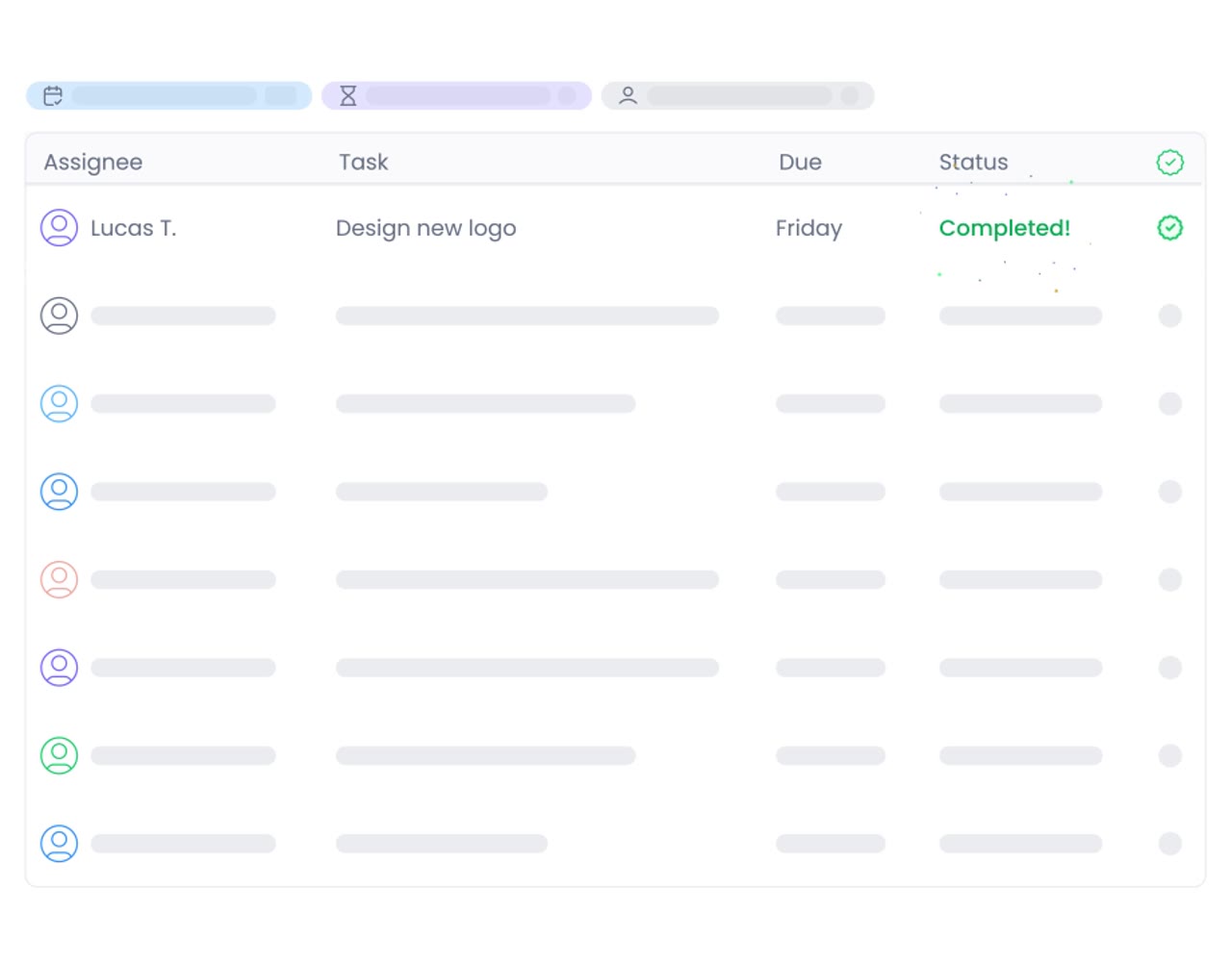
Chaser turns Slack conversations into tasks and follow-ups. A first-time visitor needs to see that connection before the feature list can mean much. We designed a short homepage walkthrough that follows the action through the conversation, confirmation, and task dashboard.
A key creative decision
Follow one action from message to dashboard.
The transitions need to explain what changed. We built consistent interface states, then connected the message, due date, acknowledgement, and dashboard. Each beat gives the viewer a visible response to the previous action.
A closer look
Sequences & variations.
Message-to-dashboard cutdown
An 8.5-second excerpt from the product motion.
Our approach
Designed around
the explanation.
- 01
We rebuilt editable interface states to keep the conversation and dashboard visually consistent.
- 02
We separated the workflow into clear beats: recognize the due date, create the task, confirm it, and show the next state.
- 03
We used stable framing and deliberate timing so the interactions carry the explanation.
- 04
We prepared web-ready motion and static interface states for product communication.
The outcome
A product explanation built into the interaction.
We delivered a 16-second homepage walkthrough connecting task capture to the resulting product states. The animation shows cause and effect directly: an action in the conversation leads to a visible confirmation and an organized task. Editable interface states also support pitch decks and presentations.
- 16-second homepage walkthrough, with a shorter cut shown below
- Connected message, task, reminder, and dashboard states
- Microinteractions that show recognition, confirmation, and status
- Reusable interface states for presentations